Demos/Tasks & Habits
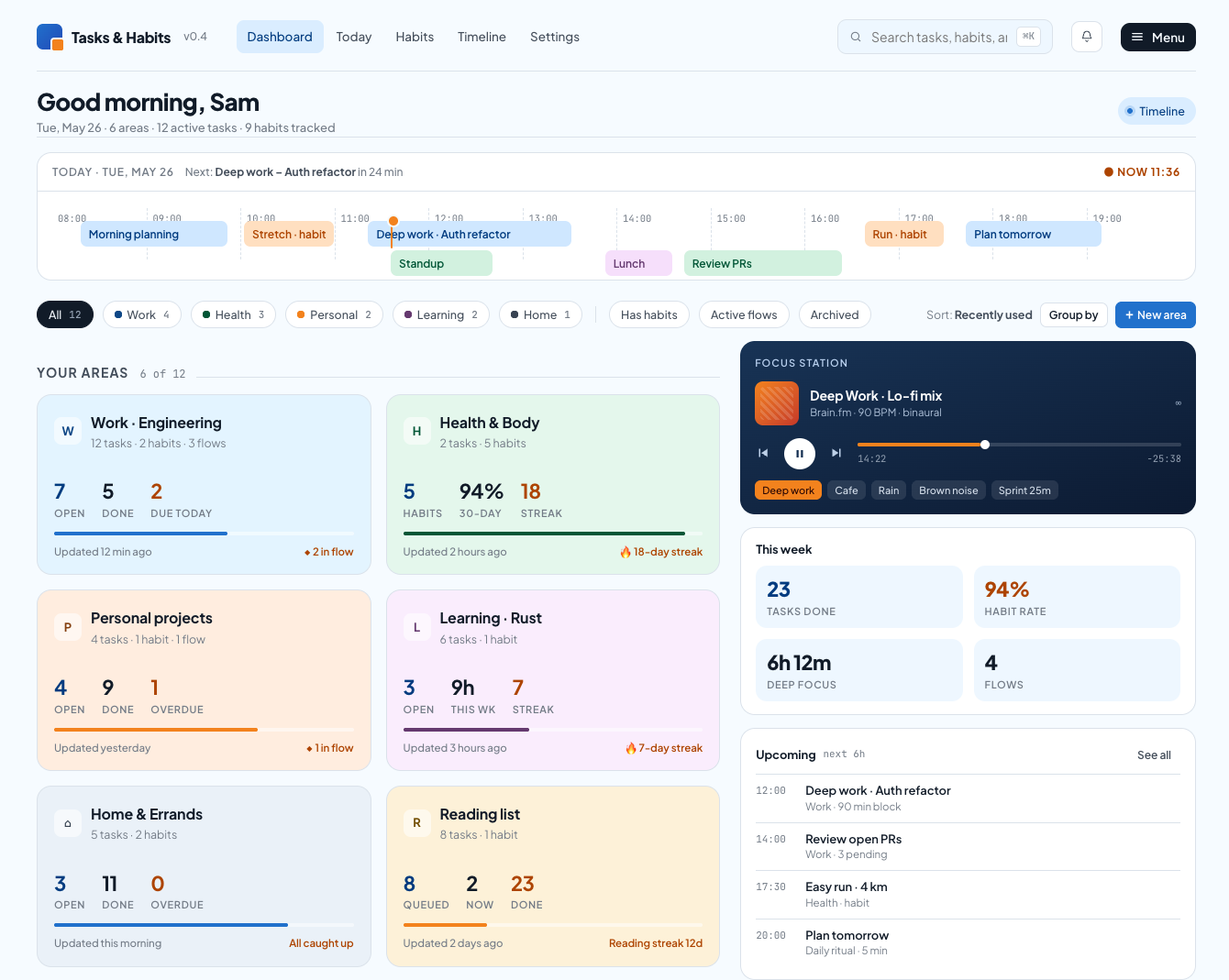
Dashboard for quick glance of key tasks and tools to dive deeper and get things done.
Search across all your tasks and habits in one place. Use it to jump directly to anything you're tracking without navigating through individual lists or categories.
Toggles the dashboard into a full timeline-centric layout. Use it when you want to plan or review the day chronologically instead of by area.
A time-blocked view of today's tasks and habits. The orange marker shows the current time, and overlapping rows indicate parallel blocks like meetings running alongside focus work.
Filter the area cards below by category (Work, Health, Personal, etc.) or by state like Has habits, Active flows, or Archived. The number badges show how many areas match each filter.
Adds a new area — a top-level container that groups related tasks, habits, and flows. Use this to set up a new project, life domain, or focus theme.
Each card summarises one area: open vs. done task counts, items due today, and a progress bar. Click into a card to drill into its tasks, habits, and flows.
An embedded audio player tied to focus sessions, with presets like Deep work, Cafe, or a Sprint 25m pomodoro. Start it when you begin a focus block to log deep-work time toward your weekly stats.
This week's roll-up across all areas: tasks done, habit completion rate, total deep-focus time, and active flows. Use it to gauge whether the week is on track.
The next several scheduled items across tasks and habits in chronological order. Use it as the at-a-glance "what's next" list when you're not in the timeline view.
Number of tasks in this area that are due before end of day. Tap it to jump straight to the filtered list and clear them.
Current consecutive-day streak for habits in this area. Streaks reset if a habit is missed on its scheduled day.